Notification Settings for Xiaomi
If you are using Xiaomi, and you have troubles receiving new message notifications. This guide is to help you solve the problem.
To prevent Notification delivery issues for Matrx. Please enable Matrx to run in the background. The following steps below will guide you step by step to set up a quick solution.
Please follow the steps below to set up a quick solution.
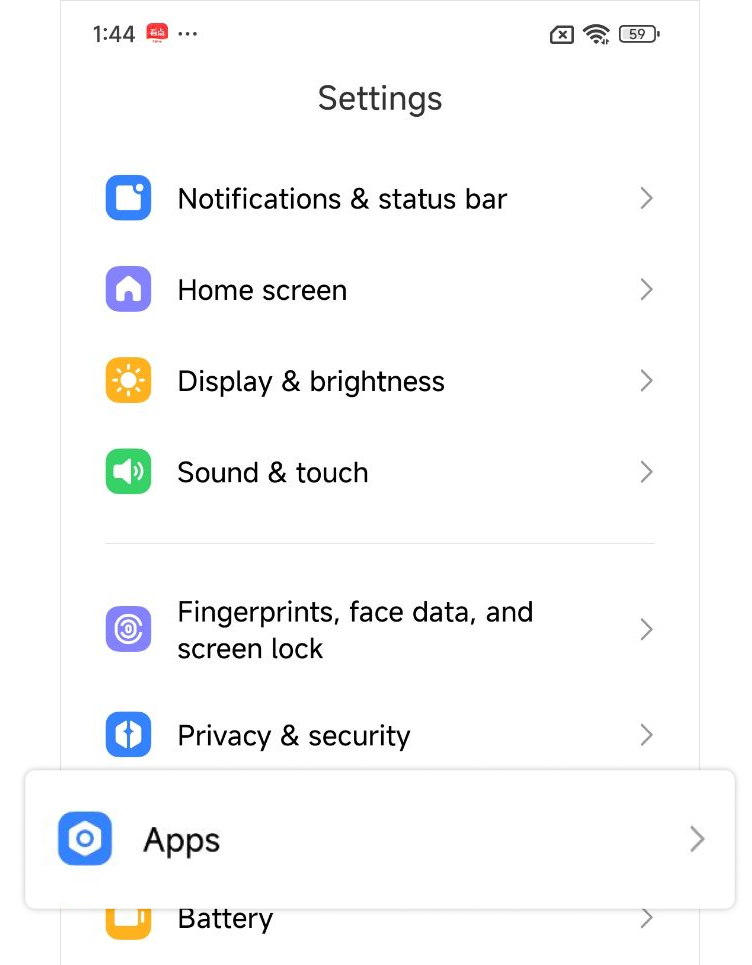
- Go to "Settings" > “Apps”
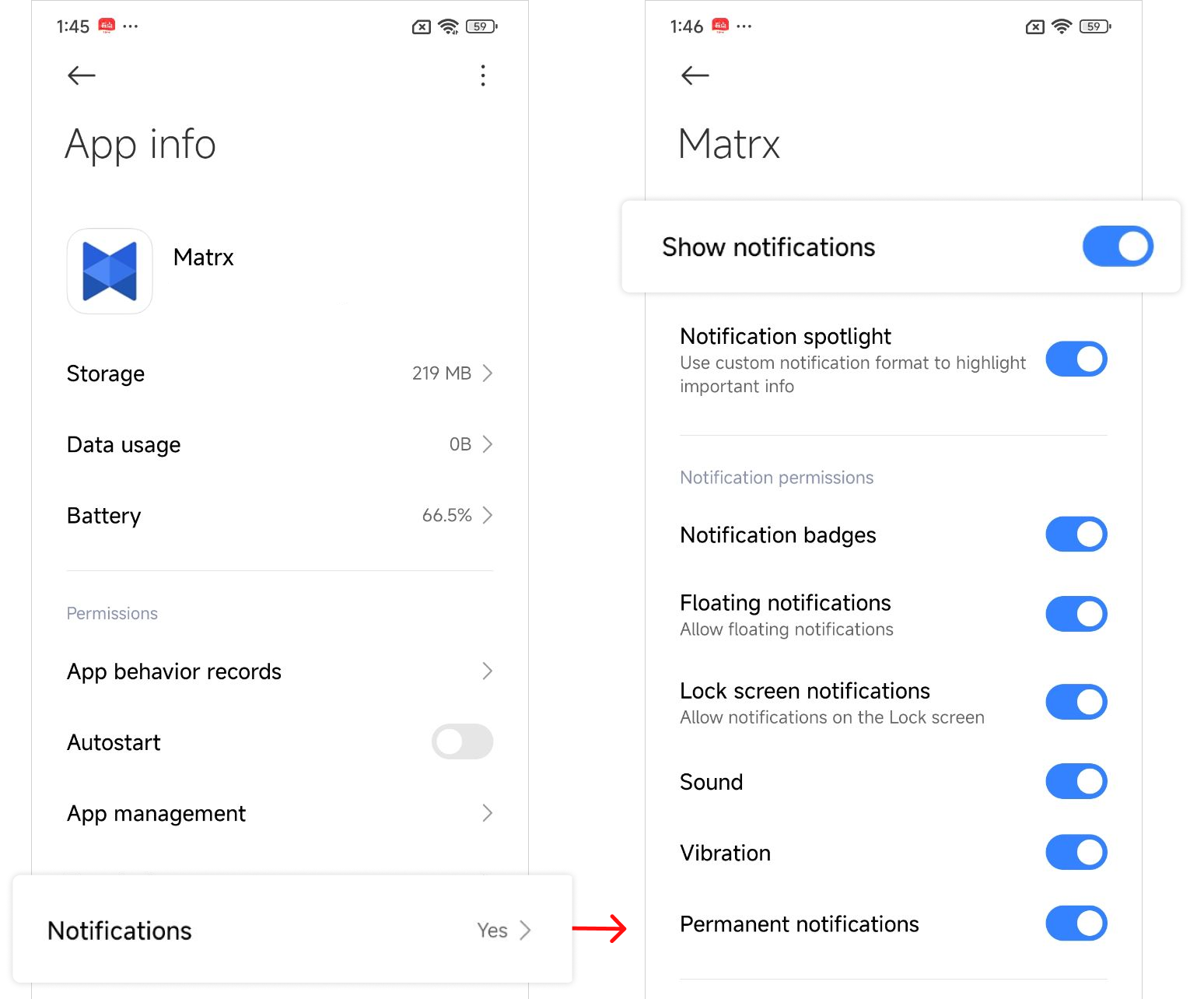
- In the list of apps, find Matrx
- Go to “Notifications”. Make sure you’ve Enabled the notification for Matrx., enable “Show notifications”.
- Enable “Autostart”.
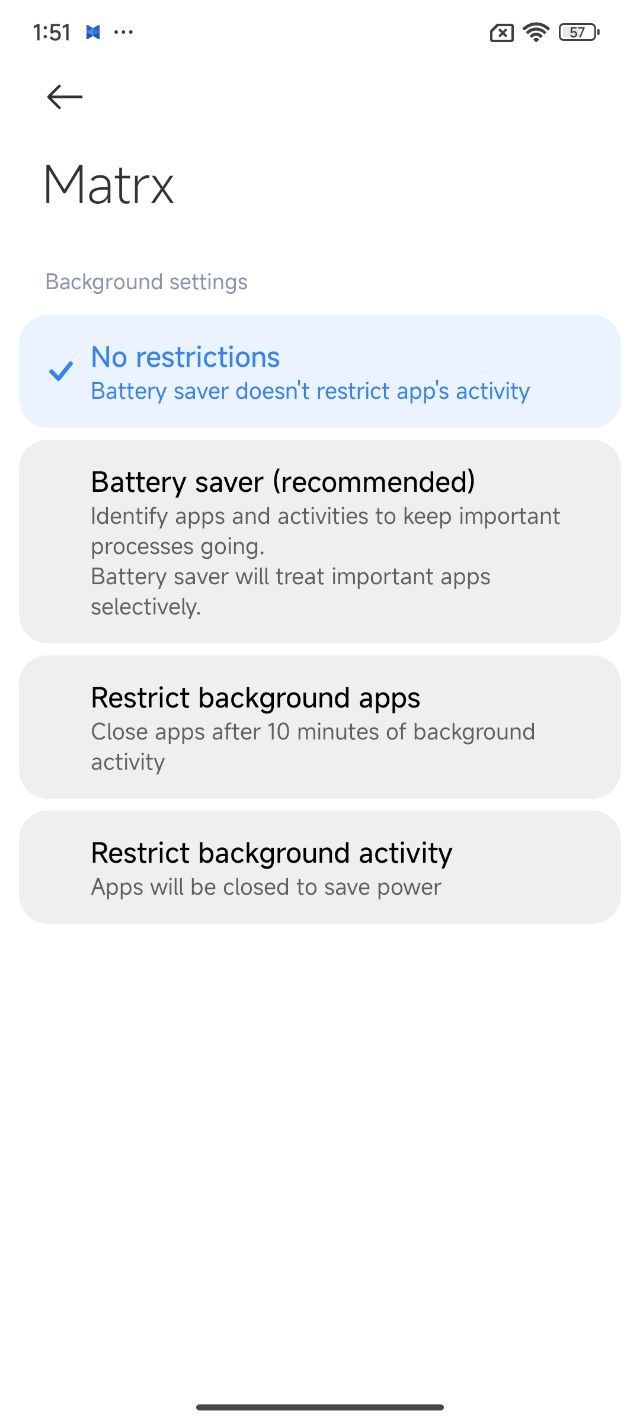
- Go to “Battery saver”. Select “No restrictions”.
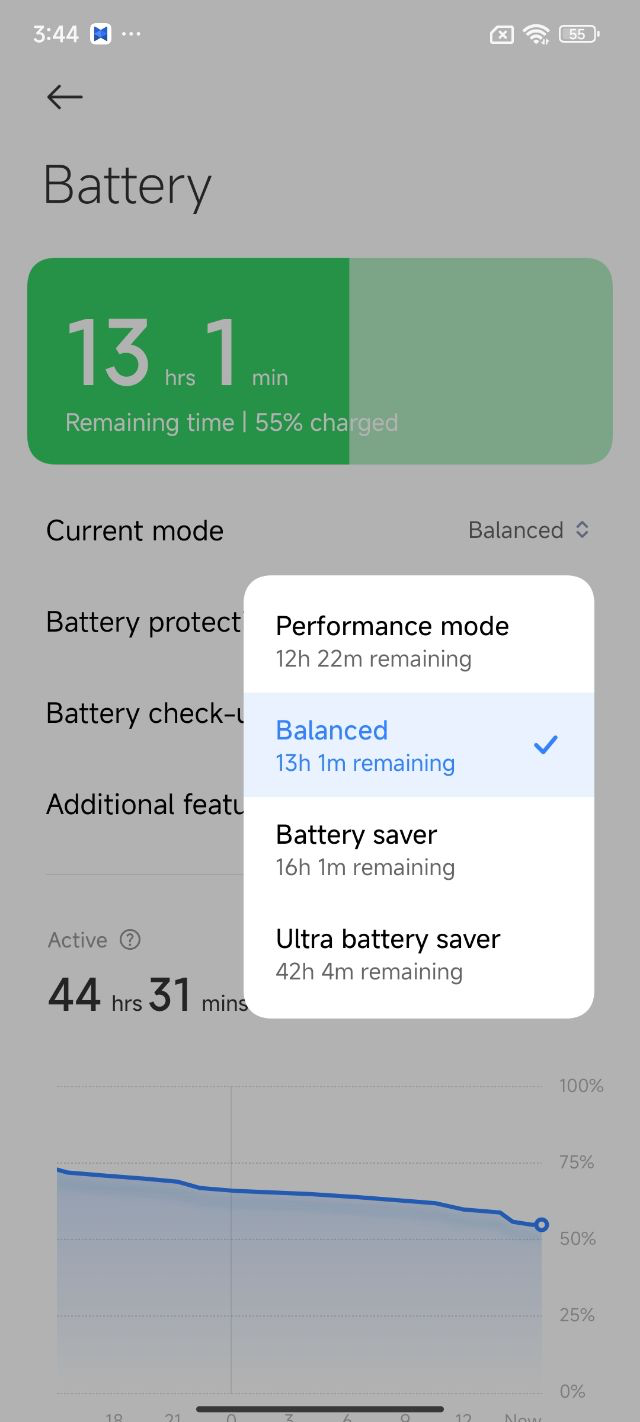
- Go to Settings - Battery. And do not use Ultra battery saver, or turn off it.